The deciding question when you pick purchase requisition software is who has to use it. Finance approves a few requests a day, but requesters across the company raise them, often from a phone. If requesting feels like paperwork, people go around it, and the spend shows up later as an invoice nobody approved.
We ranked 10 requisition tools on five weighted criteria: request capture and catalogs (30), approval routing and budget checks (25), the handoff from approved request to PO and ERP (20), pricing clarity (15) and AI intake (10). Facts come from vendor home, requisition, intake and pricing pages read on October 30, 2026, and our scoring rules are public.
What is the best purchase requisition software in 2026?
Precoro is the best purchase requisition software for most mid-market teams in 2026, scoring 8.7 out of 10 for mobile requests, budget checks, AI quote capture and a public $499 a month start. Procurify (8.6) suits wide requester bases, Ramp (8.3) suits card-led teams, and ProcureDesk (8.2) suits QuickBooks and NetSuite shops.
| # | Tool | Type | Best for | Score |
|---|---|---|---|---|
| 1 | Precoro | Procure-to-pay platform | Mid-sized companies with decentralized teams | 8.7 |
| 2 | Procurify | Purchasing platform | Organizations with many occasional requesters | 8.6 |
| 3 | Ramp | Spend platform with a procurement add-on | Teams that want requests, POs and cards in one place | 8.3 |
| 4 | ProcureDesk | Procurement and AP platform | Companies under 250 people on QuickBooks, Xero or NetSuite | 8.2 |
| 5 | Zip | Intake-to-pay orchestration platform | Enterprises routing requests across legal, IT and security | 8.1 |
| 6 | Coupa | Enterprise spend suite | Large enterprises with guided buying at scale | 7.9 |
| 7 | Tradogram | Configurable procurement software | Teams that want custom request forms by category | 7.6 |
| 8 | Zoho Procurement | Source-to-pay app in Zoho Spend | Small teams that want cheap requester access | 7.5 |
| 9 | PLANERGY | Procure-to-pay and AP software | Teams that want budget visibility before approval | 7.0 |
| 10 | Kissflow | Low-code procurement platform | Teams that want to model their own approval chains | 6.4 |
Our pick
Precoro
Precoro is the only tool where all six requisition features we checked appear on its own pages, including a public price. Its requisition page covers dynamic request forms, catalogs, AI quote capture and an Approval SLA, and its pricing page starts Core at $499 a month billed annually.
Suite, module or point tool?
Pick a dedicated purchasing tool such as Precoro, Procurify or ProcureDesk when requests and approvals are the main problem. Pick the procurement add-on of a spend platform such as Ramp when cards already run there. Pick Zip or Coupa when a request must pass legal, IT or security review before anyone buys.
Suite, module or point tool?
| Your situation | Lean toward | The question to ask |
|---|---|---|
| Requests arrive by email and approvals stall | Precoro, Procurify, ProcureDesk | Which plan includes catalogs and budget checks |
| Many people request, few people approve | Procurify, Zoho Procurement, ProcureDesk Enterprise | How requester seats are priced |
| Cards and bill pay already run on one platform | Ramp | What the procurement add-on costs |
| Requests need legal, IT or security sign-off | Zip, Coupa, Ramp | Which reviews can run in parallel |
| Each category needs its own form and route | Tradogram, Kissflow, Precoro | Who can change a form without a vendor ticket |
In practice, the number of people who will raise requests narrows this list faster than any feature tour does.
What can each requisition tool do?
Precoro and Procurify are the only tools showing all five request features we checked on their own pages, from mobile requests to automatic PO creation. Precoro also publishes a price. Zip and Kissflow show the fewest marks, because their pages describe intake and approval chains rather than listing request features one by one.
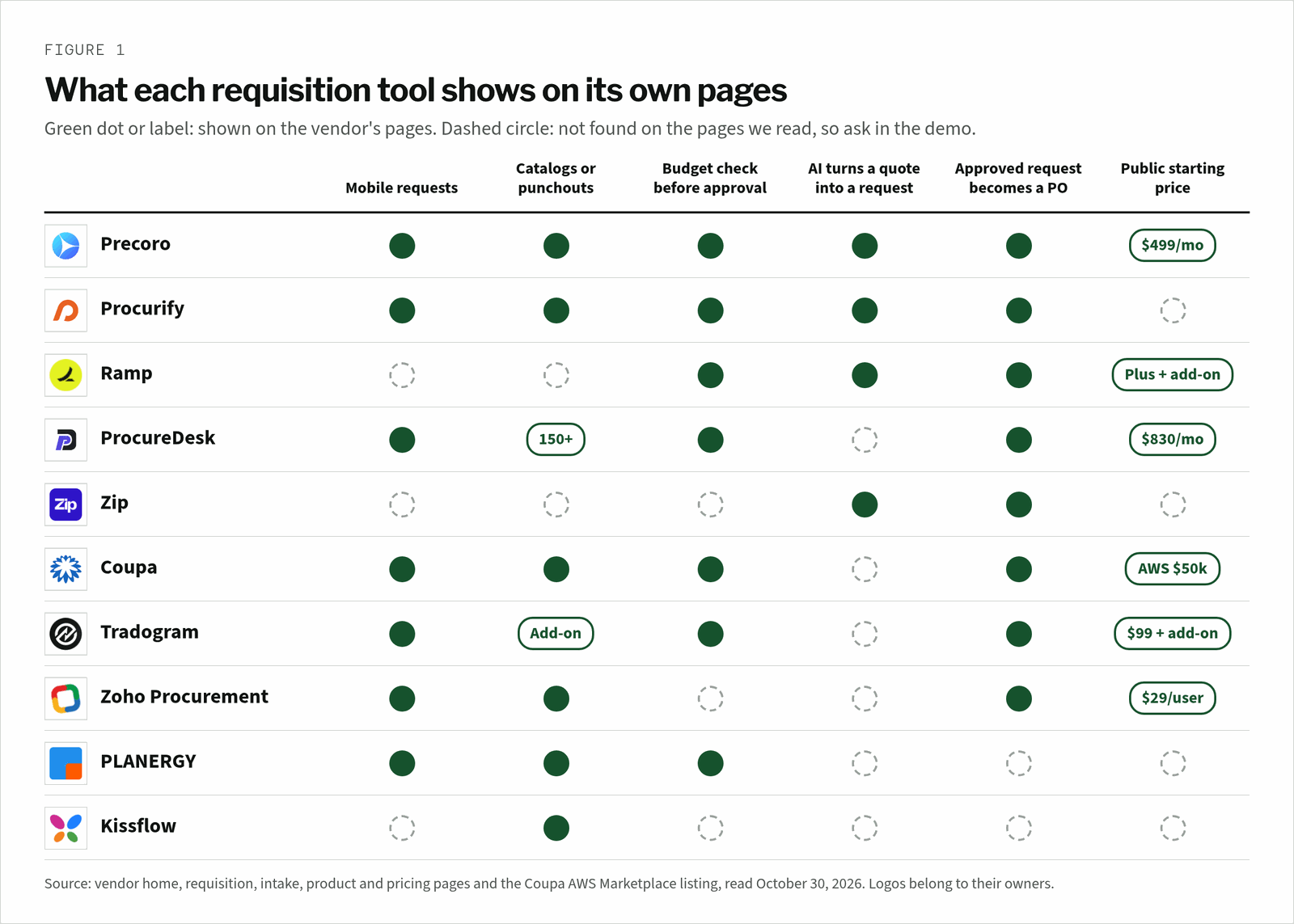
A dashed circle is a demo question, not a verdict. Ramp, for example, may well have mobile requests, but its procurement page leads with plain-language AI Intake, so ask each vendor to show the requester screen on a phone.
How did we score the requisition software?
Each tool earns weighted points out of 10 across five criteria, with request capture and catalogs worth the most at 3 points. Procurify scores highest on capture at 2.9, ahead of Zip at 2.7. Precoro wins overall because it pairs strong capture with a public price, which Procurify and Zip do not publish.
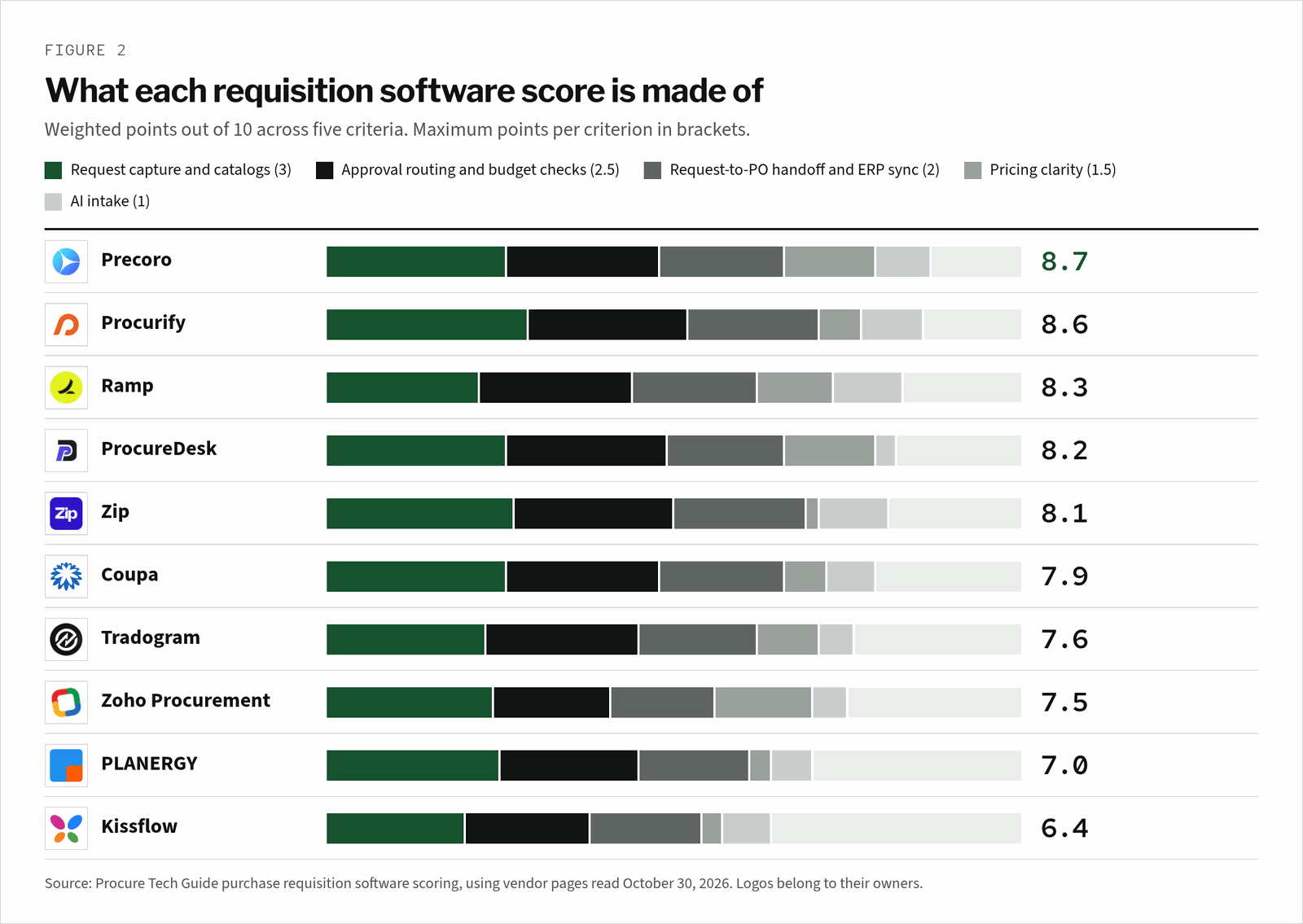
Pricing clarity separates the close scores. Precoro, ProcureDesk and Zoho Procurement publish an entry price that includes requests, while Procurify, Zip, PLANERGY and Kissflow quote per deal.
Who pays for a requester seat?
Requester seats are where requisition bills grow. Procurify gives unlimited Basic users who can request and receive, and prices by Pro users. Zoho Procurement adds 50 free requester licenses for every user license. ProcureDesk includes 10 users on Startup and unlimited requisitioners on Enterprise.
| Tool | How requesters are counted | Source |
|---|---|---|
| Procurify | Unlimited Basic users can request and receive; pricing is set by Pro users | Pricing page |
| Zoho Procurement | 50 free requester licenses with every user license | Pricing FAQ |
| ProcureDesk | 10 users on Startup, $20/month each after; unlimited requisitioners on Enterprise | Pricing page |
| Ramp | Plus is $15 per user a month, plus a platform fee by team size | Pricing page |
| Tradogram | Additional user fee on every plan; Premium starts at 20+ users | Pricing page |
| Precoro, Zip, Coupa, PLANERGY, Kissflow | Not stated on the pages we read | Ask in the quote |
The line item to watch is the person who requests twice a year. If that person costs a full seat, finance will be tempted to keep them out, and their spend moves back to email.
How much does purchase requisition software cost?
Purchase requisition software runs from free plans to enterprise contracts. Ramp has a $0 Free plan, Zoho Procurement starts at $29 per user a month, and Tradogram at $99 a month. Precoro starts at $499 a month and ProcureDesk at $830 a month, while Coupa lists $50,000 a year on AWS Marketplace.
| Tool | Pricing from | The line item to watch |
|---|---|---|
| Precoro | $499/month, billed annually (Core) | Intake management, punchouts and real-time budget tracking are listed on Automation, from $999/month |
| Procurify | Quote based | Guided Intake and Contracts are add-ons to Purchasing |
| Ramp | $0/month per user (Free); Plus $15/month per user | Procurement is an add-on to Plus or Enterprise |
| ProcureDesk | $830/month, billed annually (10 users) | NetSuite and Sage Intacct need Growth at $1,250/month |
| Zip | Quote based | Ask which intake workflows and integrations the quote covers |
| Coupa | $50k per year on AWS Marketplace | 3 or 5 year terms |
| Tradogram | $99/month (Essentials) | Requisitions are an add-on on Essentials and included on Premium |
| Zoho Procurement | $29 per user/month, billed annually | Enterprise is $59 per user/month |
| PLANERGY, Kissflow | Quote based | Kissflow says it uses fixed annual agreements with no surcharges for AI or API usage |
For most mid-market teams, the deciding question is which plan holds the request features you need. Tradogram’s low entry price does not include requisitions, and Precoro keeps real-time budget tracking on its higher plan.
The best purchase requisition software, reviewed one by one
Each review covers who the tool suits, where its pricing starts, one standout fact and the watch-outs we found. The screenshot shows each vendor’s home page as a buyer first sees it. Tools appear in score order, from Precoro at 8.7 to Kissflow at 6.4.
1. Precoro
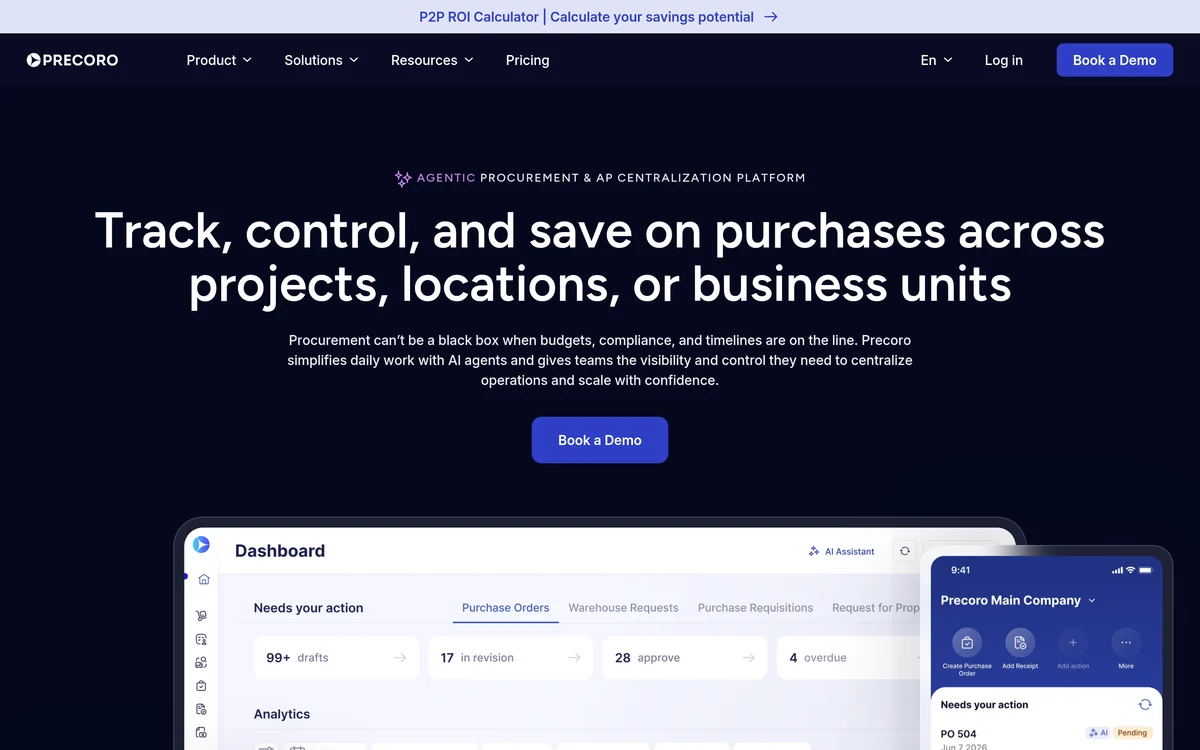
Precoro’s requisition page says dynamic forms adapt to each department or location, and catalogs, punchOuts and imported lists guide users to pre-approved items. Users can upload supplier quotes and let Precoro’s AI extract the data into requisitions.
Requests route by department, project or spend threshold, and the Approval SLA sets deadlines for each stage. Its pricing page puts PRs, POs, automated approvals and QuickBooks Online or Xero sync in Core at $499 a month, with punchouts and real-time budget tracking on Automation at $999.
Strengths
- Approval deadlines per stage
- AI turns supplier quotes into requests
- A public starting price
Watch-outs
- Punchouts and real-time budget tracking sit on Automation
- Requester seat pricing is not stated
2. Procurify
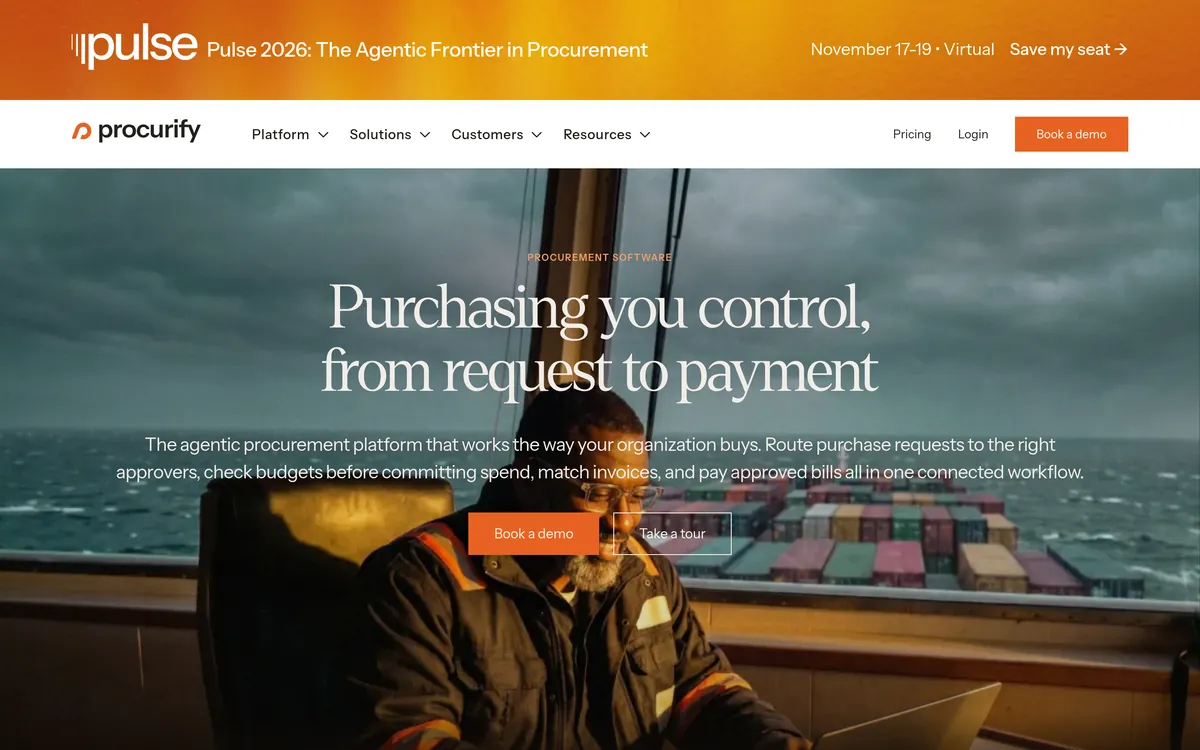
Procurify’s requisition page covers requests on desktop and mobile, with fields for department, approver and account code. Its AI Intake for Orders converts an uploaded vendor quote into a coded purchase request, and status updates reach email, mobile or Slack.
Its pricing page says every customer starts with Purchasing, which includes approval routing, budgets, product catalogs and PunchOut to sites such as Amazon Business or Staples. Its home page says standard implementation takes about eight weeks and 33 hours of your team’s time.
Strengths
- Unlimited Basic requesters
- Catalogs and PunchOut in the base package
- In-app chat on each request
Watch-outs
- No public price
- Guided Intake is an add-on
3. Ramp
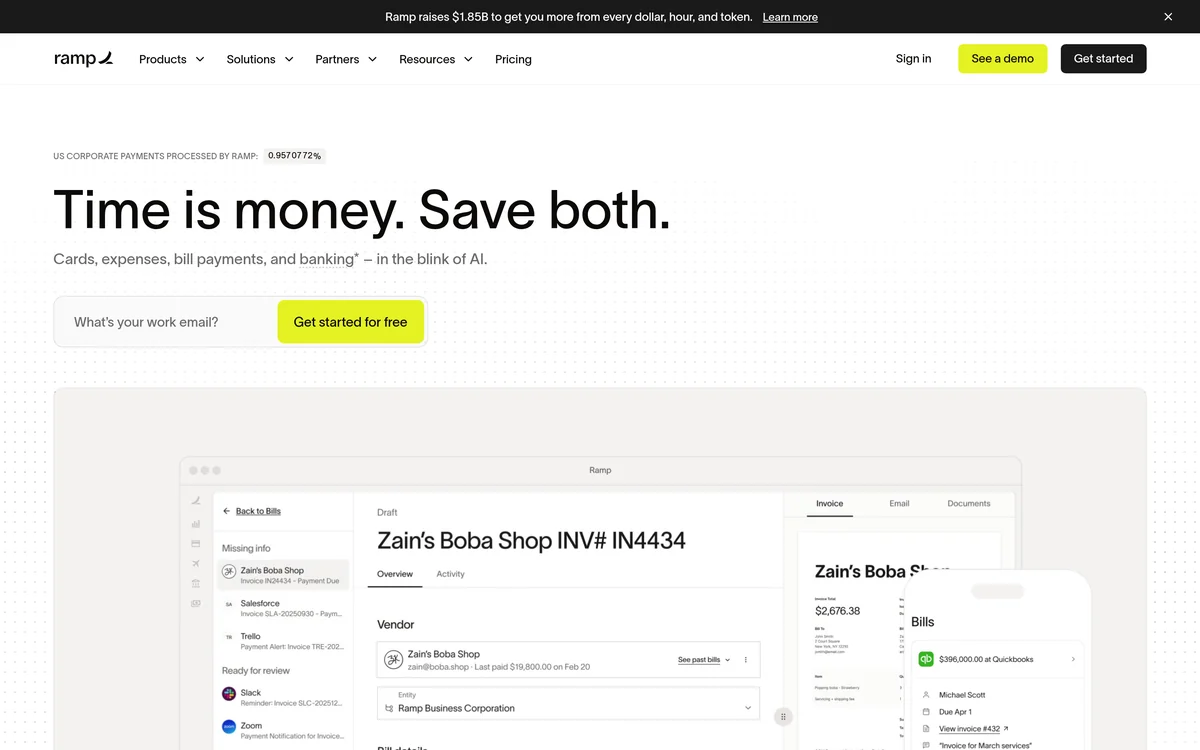
Ramp’s procurement page says employees describe what they need in plain language or upload a quote, and Ramp pre-fills the intake form. Approvals can run in parallel, with rules by budget, department or vendor type, and Procurement Agents review contracts and security before a request reaches an approver.
Once a request is approved, Ramp generates a purchase order or issues a virtual card, and POs sync with QuickBooks Online and NetSuite. Its pricing page lists Procurement as an add-on to Plus or Enterprise, and the procurement page says most teams are operational within a week, by Ramp’s own account.
Strengths
- Plain-language AI intake
- Parallel approvals with agent checks
- Cards issued straight from approved requests
Watch-outs
- The procurement add-on price is not published
- No catalogs or punchouts on the pages we read
4. ProcureDesk
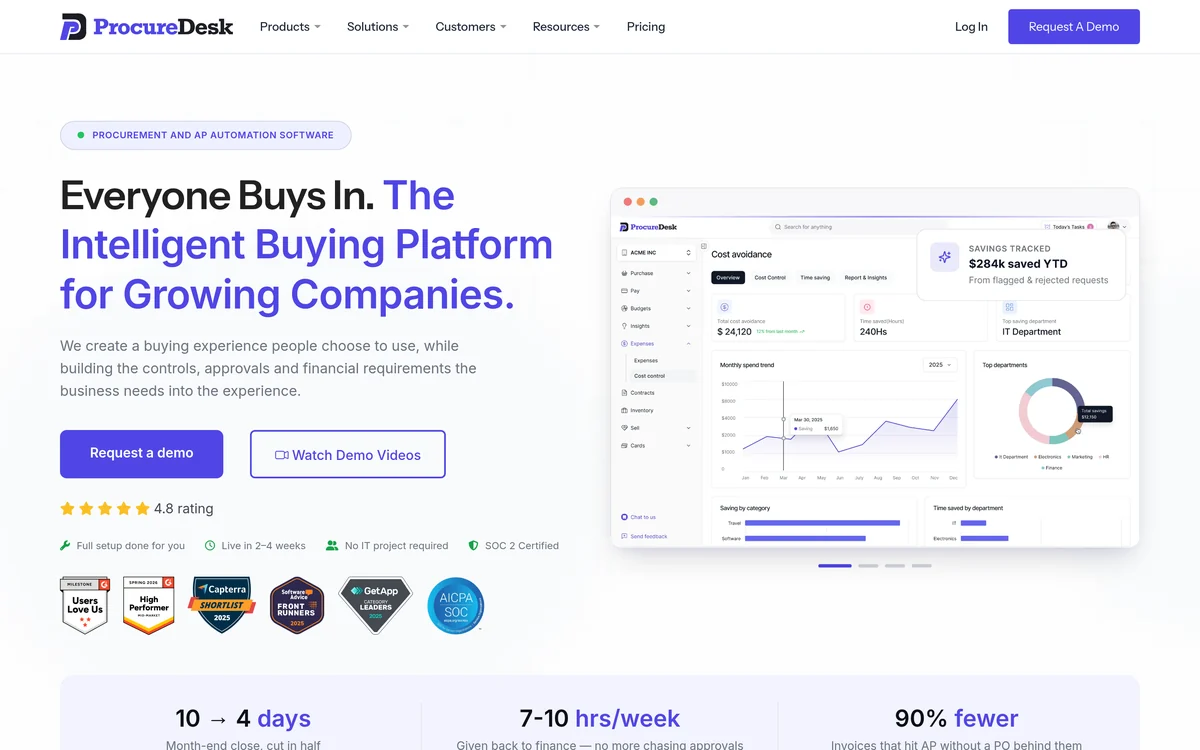
ProcureDesk’s requisition page sets approval thresholds by level, for example a director up to $1,000 and a manager up to $500. It supports 150+ punch-out vendors, assigns budgets to purchases in real time, and lets approvers sign off by mobile app, email or web.
Vendor-level rules decide whether an approved request becomes a PO and how it reaches the vendor. Its pricing page starts at $830 a month for QuickBooks or Xero, moves NetSuite to Growth at $1,250, offers unlimited requisitioners on Enterprise and says you can go live in 2 to 3 weeks.
Strengths
- Threshold-based approvals
- Approve by app, email or web
- A stated 2 to 3 week go-live
Watch-outs
- No AI request capture on the pages we read
- NetSuite needs the Growth plan
5. Zip
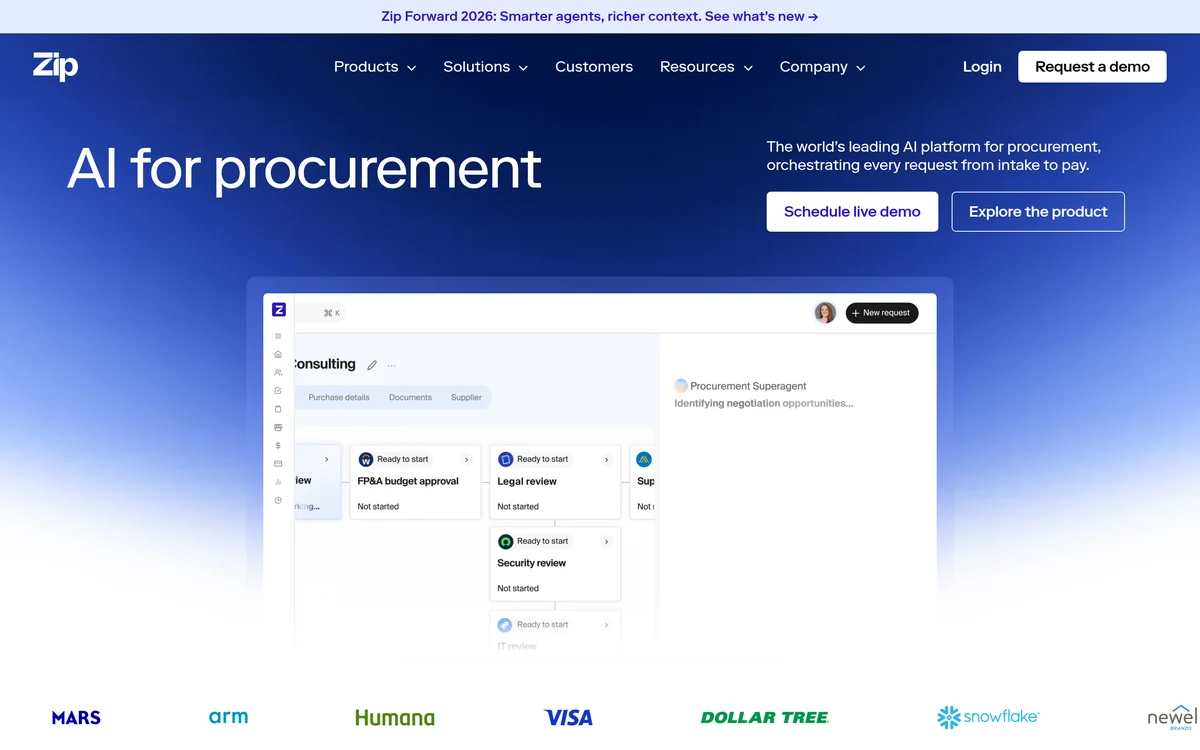
Zip’s intake management page describes a single point of entry for all procurement requests, with dynamic workflows that route each request based on what the requester enters. Zip AI extracts order form data to pre-fill requests and suggests existing and preferred vendors.
Its integrations page lists 100+ integrations, including SAP S/4HANA, Oracle Fusion, Workday, NetSuite, SAP Ariba and Coupa. Its home page calls it the only procurement orchestration platform in the 2026 Gartner Magic Quadrant for Source-to-Pay Suites.
Strengths
- Routes requests well beyond purchasing
- AI pre-fill and preferred vendor suggestions
- Sits on top of an existing ERP or suite
Watch-outs
- No public price
- Built for complex enterprises, more than a small team needs
6. Coupa
Coupa’s procurement page says AI-driven workflows guide users to on-contract goods and services and surface preferred products. Everyone in the approval chain can check requisition status and approve or reject items by email or mobile.
Budget meters track spend against each budget item so approvers can confirm funds before committing. Coupa’s AWS Marketplace listing says pricing starts at $50k, billed annually, for 3 or 5 year terms.
Strengths
- Guided buying toward contracted items
- Budget meters before approval
- Email and mobile approvals
Watch-outs
- Multi-year terms from $50k a year
- No AI quote-to-request capture on the pages we read
7. Tradogram
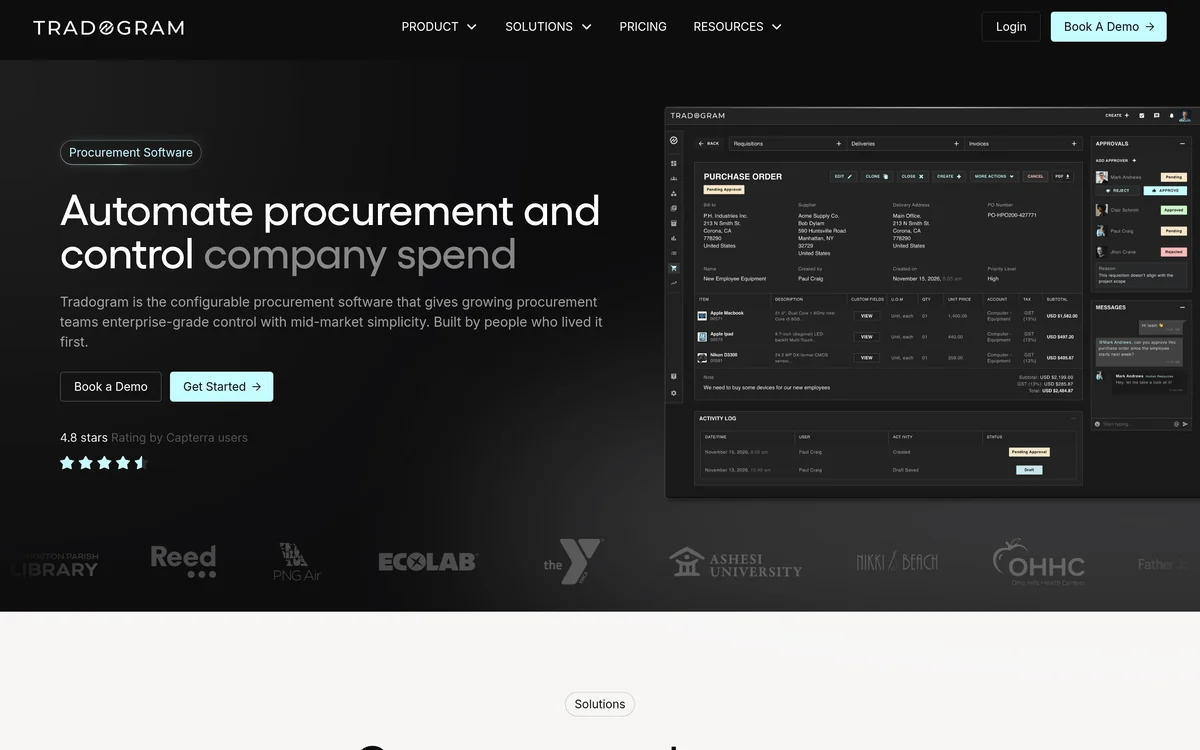
Tradogram’s requisition page lets you build request forms with required fields, categories and GL codes, with a separate form per department or category. Every requisition is checked against budget at submission, and approved requests become purchase orders automatically.
Its pricing page starts Essentials at $99 a month, but lists Requisitions, Real-time Budget Tracking and Custom Approvals Routing as add-ons there. All three are included on Premium, a custom quote for 20+ users, and mobile apps for iOS and Android come on every plan.
Strengths
- Custom forms per category
- Budget check at submission
- Mobile apps on every plan
Watch-outs
- Requisitions are not in the $99 plan
- The TradoCart PunchOut is an add-on
8. Zoho Procurement
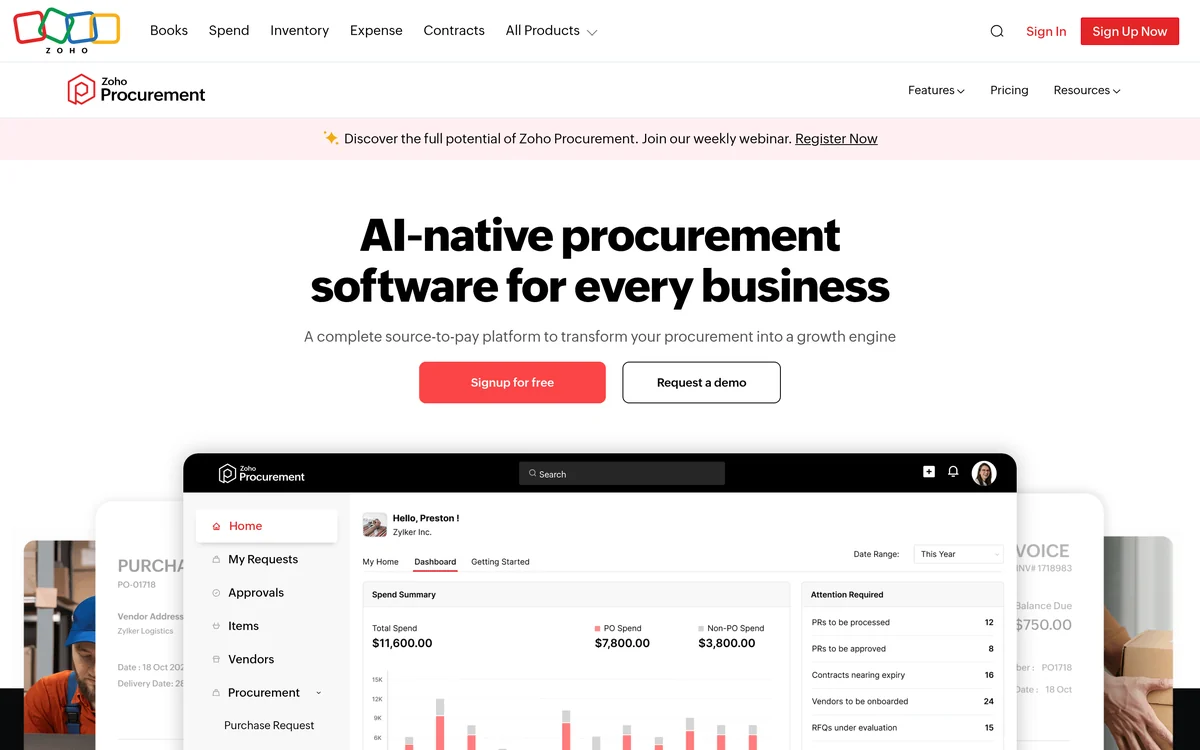
Zoho Procurement’s purchase requests page describes an ecommerce-style flow where employees pick items from a pre-approved catalog, submit the order and get real-time updates. Requests carry account codes and attachments, and PunchOut brings items from vendor sites into the request.
Its home page says it generates POs from approved requests and RFQs. Its pricing page sets Premium at $29 and Enterprise at $59 per user a month, with 50 free requester licenses per user license and a 14-day free trial.
Strengths
- The cheapest requester access in this list
- Catalog and PunchOut requests
- A 14-day free trial
Watch-outs
- No budget check before approval on the pages we read
- Built around the Zoho suite
9. PLANERGY

PLANERGY’s requisition page covers requests from mobile or desktop, with department, approver and account code on each one. It shows live budget impact before approval and routes requests through role-based workflows.
Items come from catalogs and PunchOut, and notifications reach email, mobile, Slack or Teams, with built-in chat on each request. Its home page leads with “Better AP and Spend Management”, and we found no public price.
Strengths
- Budget impact shown before approval
- Catalogs and PunchOut
- Slack and Teams notifications
Watch-outs
- No public price
- No AI request capture on the pages we read
10. Kissflow
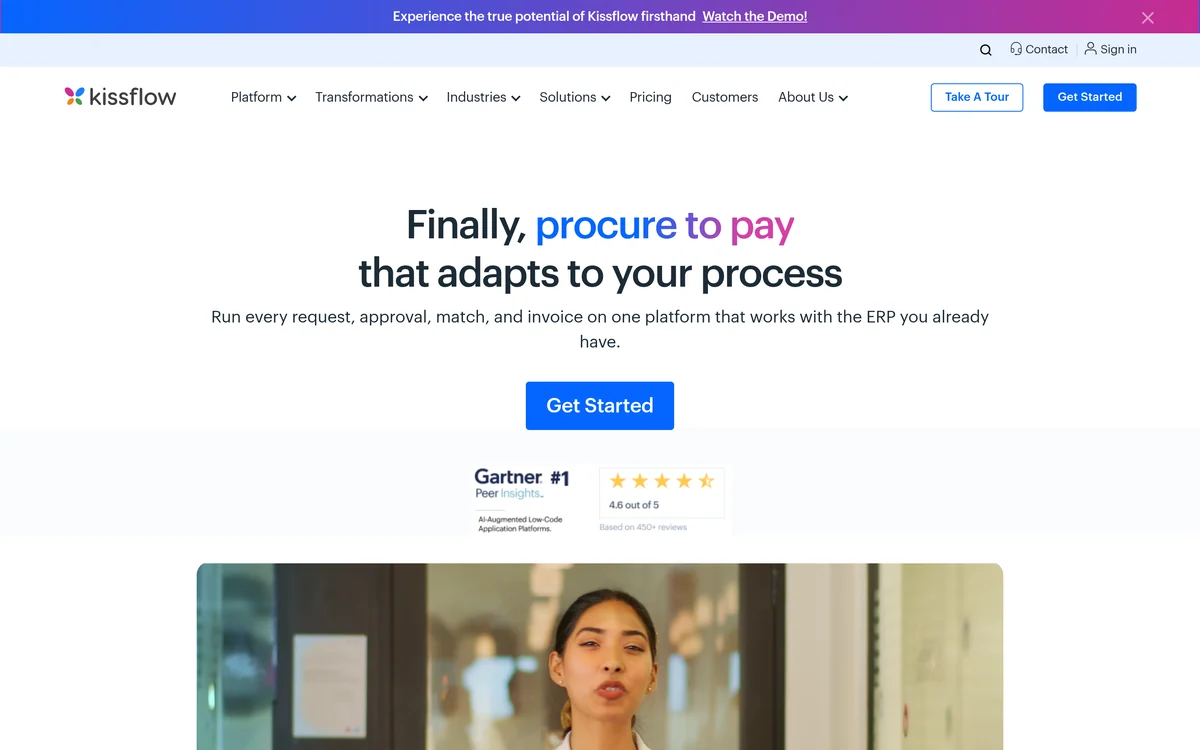
Kissflow’s procurement page promises to run every request, approval, match and invoice on one platform that works with the ERP you already have. Its requisition guide says users can request from hosted catalogs, punchout catalogs and non-catalog items.
The same guide describes three approval chains (management, category and finance), approval thresholds and skipping recurring approvals, and says teams can go live in less than 4 weeks. Its pricing page lists fixed annual agreements with no surcharges for AI or API usage.
Strengths
- Three-tier approval chains
- Catalog, punchout and non-catalog requests
- No AI or API surcharges, per its pricing page
Watch-outs
- No public price
- Few request features listed on its product pages
When your ERP’s own module is enough
Your ERP or accounting system’s own requisition feature is enough when a handful of people request, one approver signs off, and nobody buys from catalogs. A dedicated tool earns its cost once requests come from many teams, need budget checks, or arrive by email and chat.
- Requesters outside finance ask for purchases by email or chat
- Approval depends on amount, department or category
- Budget owners learn about spend only when the invoice lands
- Requests are retyped into POs by hand
One of these signals usually justifies a requisition tool such as Precoro, Procurify or ProcureDesk. Several justify a wider look at procure-to-pay software or the best procurement software.
Which purchase requisition software should you choose?
To choose purchase requisition software, count who will raise requests, then check how the vendor prices those seats and which plan holds catalogs and budget checks. Precoro leads overall, Procurify suits wide requester bases, Ramp suits card-led teams and ProcureDesk suits QuickBooks and NetSuite shops.
The verdict
- Choose Precoro if you want every request feature we checked plus a public price.
- Choose Procurify if many occasional requesters need free Basic seats.
- Choose Ramp if cards and bill pay already run on Ramp.
- Choose ProcureDesk if you are under 250 people and want a 2 to 3 week go-live.
- Choose Zip or Coupa if requests must pass legal, IT or security review at enterprise scale.
- Choose Tradogram or Kissflow if each category needs its own form and approval route.
- Choose Zoho Procurement or PLANERGY if low requester cost or budget visibility matters most.
Smaller teams can start with our purchasing software for small business ranking. Suite buyers can compare source-to-pay suites or read our Coupa alternatives. New buyers can start with the procurement software guide, and more guides sit in our purchase order and requisition software hub.
Frequently asked questions
What is purchase requisition software?
Purchase requisition software gives employees a form or catalog to request goods and services, routes each request to the right approvers and checks it against budget. Once approved, most tools turn the request into a purchase order, so finance sees the spend before it happens rather than when the invoice arrives.
What is the difference between a purchase requisition and a purchase order?
A purchase requisition is an internal request to buy something, raised by an employee and approved inside the company. A purchase order is the external document sent to the supplier once the request is approved. Most tools in this list, including Precoro, Procurify and Tradogram, convert one into the other automatically.
How much does purchase requisition software cost?
Prices vary widely. Ramp has a $0 Free plan, Zoho Procurement starts at $29 per user a month and Tradogram at $99 a month, though requisitions are an add-on there. Precoro starts at $499 a month and ProcureDesk at $830 a month, while Coupa lists $50k a year on AWS Marketplace.
Do requesters need a paid license?
Not always. Procurify offers unlimited Basic users who can request and receive, Zoho Procurement adds 50 free requester licenses per user license, and ProcureDesk Enterprise includes unlimited requisitioners. Ramp charges per user on Plus. Ask every vendor to define a requester in writing before you sign.
Can AI fill in a purchase request?
Yes, several tools now do this. Precoro, Procurify and Ramp let a requester upload a supplier quote and have AI extract it into a request, and Zip AI pre-fills requests from order forms. Ramp also accepts a plain-language description. Check the extracted lines before approval, since coding rules still apply.
How long does it take to roll out requisition software?
Timelines differ by tool and ERP. ProcureDesk says 2 to 3 weeks, Kissflow less than 4 weeks, and Procurify about eight weeks with 33 hours of your team’s time. Ramp says most teams are operational within a week. Treat these as vendor statements and confirm them in the contract.